Creating comics has never been more accessible, but subscription fatigue is real. Between streaming services, software tools, and creative platforms, monthly fees add up quickly. The good news? Several powerful AI comic generators offer genuinely useful free tiers—not just 3-day trials, but actually free tools you can use to create complete comics. In this comprehensive guide, we're cutting through the marketing hype to reveal which free AI comic generators are worth your time in 2026. We'll cover what you can actually create without paying, what limitations you'll face, and which tool matches your specific needs—whether you're a hobbyist, student, or aspiring self-publisher testing the waters.
Table of Contents
What "Free" Really Means in AI Comic Generators
Before diving into specific tools, let's clarify what "free" actually means in the AI comic generation world. There are several models:
1. Truly Free Forever No credit card required, no trial period. These tools remain free indefinitely, though with limitations on features or generation counts.
2. Freemium Model Core features are free, but premium capabilities (higher resolution, more generations, advanced features) require payment.
3. Credit-Based Systems You receive free credits monthly or one-time, and can continue using the service as long as you have credits.
4. Free Trial (Not Actually Free) Some tools market themselves as "free" but only offer 3-7 day trials before requiring payment. We'll identify these clearly.
What to Watch Out For:
- Hidden watermarks that appear only on export
- Generation limits that reset monthly vs. one-time totals
- Quality restrictions (low resolution, limited styles)
- Platform lock-in (can't download your work)
- Sudden pricing changes after you've invested time
For this guide, we're focusing on tools with genuinely usable free tiers that let you create and export comics without paying.
1. Anifusion - Best Free Tier for Complete Manga Workflows
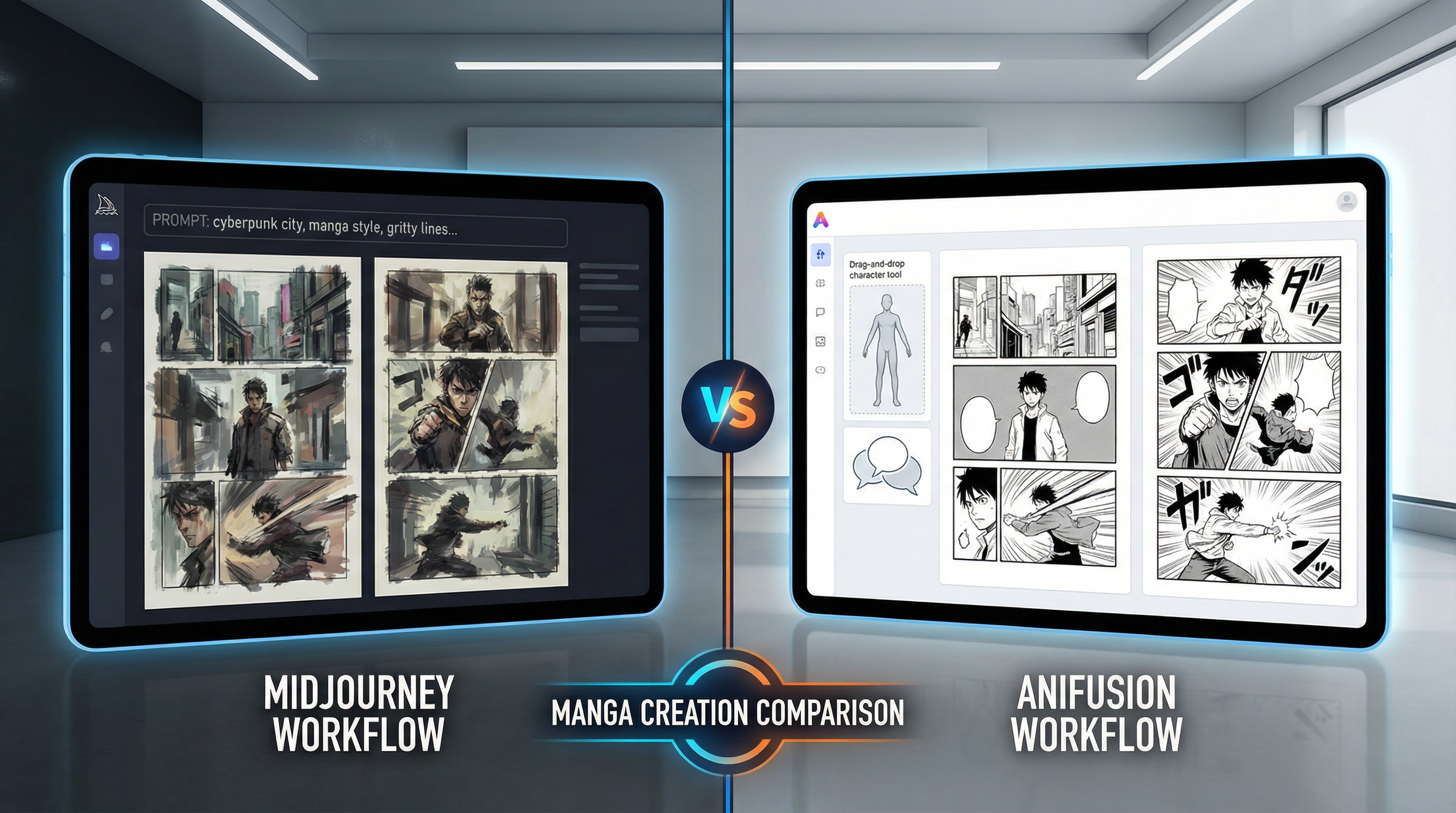
Anifusion offers the most generous free tier among serious manga creation tools, designed specifically for creators who want to test the complete workflow before committing to a subscription.
What You Get Free:
- Unlimited canvas and sketch tools
- Limited monthly AI generations (enough for testing)
- Character sheet creation (limited)
- Panel layout templates
- Text and speech bubble tools
- No watermarks on exports
- High-resolution downloads
- Commercial use allowed (check current terms)
Limitations:
- Monthly generation quota (resets each month)
- Limited LoRA training credits
- Fewer model selections than paid tiers
- Fewer monthly credits than paid plans
What You Can Actually Create: With Anifusion's free tier, you can realistically create:
- 5-10 page short manga/month
- Character design sheets for your story
- Cover art and promotional illustrations
- Storyboards and concept art
- Test workflows for larger projects
Best For: Aspiring manga creators who want to learn the complete workflow, students working on projects, and creators prototyping ideas before investing in paid tools. The no-watermark policy is especially valuable for portfolio pieces.
Upgrade Path: When you're ready to scale to full-length manga, paid plans start at $9.99/month.
Our Verdict: If you're serious about manga creation and want a free tool that doesn't compromise on professional features, Anifusion's free tier is unmatched. The ability to export watermark-free work means your portfolio pieces look professional from day one.
2. LlamaGen.AI - Best Free Comic Strip Generator
LlamaGen.AI has quickly gained popularity for its completely free comic strip generator with no signup required. It's perfect for quick, shareable comic content.
What You Get Free:
- Unlimited comic strip generation (2-6 panels)
- No account registration required
- Multiple artistic styles
- Instant generation from text prompts
- Direct social media sharing
- No watermarks on most outputs
Limitations:
- Fixed panel layouts (can't customize extensively)
- Lower resolution than premium tools
- Limited to comic strips (not full manga pages)
- Character consistency across multiple strips is challenging
- No advanced editing tools
- No commercial use (verify current terms)
What You Can Actually Create:
- Social media comic strips (Instagram, Twitter/X)
- Meme-style comics
- Quick visual jokes and stories
- Educational comic strips
- Concept testing for larger projects
Best For: Social media content creators, educators making teaching materials, hobbyists creating shareable comics, and anyone wanting to test comic ideas quickly without commitment.
Upgrade Path: LlamaGen offers premium features for more control and higher quality.
Our Verdict: LlamaGen.AI excels at what it does—quick, fun comic strip creation with zero barrier to entry. However, it's not suitable for serious manga projects or commercial publishing. Think of it as Instagram Stories for comics: great for quick content, not for building novels.
3. Adobe Firefly Free Tier - Best for High-Quality Single Panels
Adobe Firefly, Adobe's AI image generator, offers a generous free tier that's excellent for creating individual comic panels with professional quality.
What You Get Free:
- 25 monthly generative credits (refreshes monthly)
- High-resolution outputs
- Multiple artistic styles including anime/manga
- Text-to-image generation
- Image editing capabilities
- Commercial use allowed with proper licensing
- Integration with other Adobe tools
Limitations:
- Only 25 credits/month (each generation uses credits)
- No comic-specific layouts or panels
- No speech bubble tools
- Character consistency requires manual techniques
- Must create comic layouts in other software (Photoshop, etc.)
- Requires Adobe account
What You Can Actually Create:
- Cover art and promotional illustrations
- Individual high-quality panels for hybrid workflows
- Character concept art
- Background illustrations
- Key art for marketing materials
Best For: Designers who already use Adobe ecosystem, creators making cover art, professionals who need high-quality individual illustrations and will assemble comics in design software.
Upgrade Path: Adobe Creative Cloud subscription includes unlimited Firefly generations.
Our Verdict: Adobe Firefly produces professional-quality results but isn't designed specifically for comic creation. The 25 monthly credits are limiting for full projects—you might create 10-15 panels maximum. It's best used for high-impact individual pieces (covers, key art) rather than complete comics. If you're already in the Adobe ecosystem, it's a valuable free resource; otherwise, dedicated comic tools are more efficient.
4. OpenArt Free Tier - Best for Experimentation
OpenArt provides a robust free tier with access to multiple AI models, making it excellent for experimenting with different styles and techniques.
What You Get Free:
- 50 free credits upon signup
- Daily login bonuses (additional free credits)
- Access to multiple AI models (DALL-E 3, Stable Diffusion, etc.)
- Community-created styles and templates
- Upscaling and editing tools
- Canvas feature for panel arrangement
Limitations:
- Credits deplete quickly (1-5 credits per generation depending on model)
- Watermarks on some outputs
- Lower priority in generation queue
- Limited commercial use on free tier
- Character consistency tools are premium features
What You Can Actually Create:
- Experimental comic panels to find your style
- Test different AI models for your needs
- Concept art and character designs
- 5-10 panels with careful credit management
- Style exploration and learning
Best For: Beginners exploring different AI models and styles, creators who want to test multiple approaches before committing, learners understanding AI art generation.
Upgrade Path: Starter plan ($12/month) provides 5,000 credits.
Our Verdict: OpenArt's free tier is excellent for exploration and learning but challenging for actual comic production. The variety of AI models is educational—you'll learn which model types work best for manga/comics. However, credits run out fast if you're trying to create actual content. Best used as a learning sandbox before moving to tools optimized for comic production.
Free vs. Paid: When to Make the Leap
The question every creator faces: when should you start paying for tools? Here's our honest assessment:
Stick with Free If:
- You're learning and experimenting with comic creation
- Creating occasional social media content or memes
- Building your first portfolio pieces
- Testing whether comic creation is for you
- Working on short projects (under 10 pages)
- Student or hobbyist without monetization plans
Upgrade to Paid When:
- Planning to publish a full-length manga (50+ pages)
- Need consistent character designs across many pages
- Require commercial rights for selling your work
- Creating content regularly (weekly webcomic, etc.)
- Need high-resolution outputs for print publishing
- Want more monthly credits and a faster workflow
- Free tier limitations are blocking your creative flow
The ROI Calculation: If you're self-publishing on Amazon KDP, consider this: A well-made manga can earn $100-1,000+ in its first year. Investing $10-20/month in the right tools is minimal compared to hiring an artist ($50-200 per page) or the potential revenue from successful publication.
Smart Strategy: Start with free tiers to learn and prototype. Once you've validated your story concept and workflow, upgrade to paid tools for your actual publishing project. Anifusion's $9.99/month plan offers the best value for self-publishers moving from free to paid.
Tips for Maximizing Free Tiers
Here's how to get the most value from free AI comic generators:
1. Plan Before Generating Write detailed prompts and plan your panels before using credits. Each generation counts, so make them count.
2. Use Hybrid Workflows Combine free tools: Use LlamaGen for quick tests, Adobe Firefly for key art, and Anifusion for final production. Play to each tool's strengths.
3. Master Prompt Engineering Better prompts = fewer regenerations = credits last longer. Invest time learning effective prompting techniques.
4. Leverage Manual Editing Use free editing software (GIMP, Krita) to touch up AI-generated panels. This extends your generation credits by reducing the need for perfect outputs.
5. Track Your Credit Usage Know exactly how many credits you have and what they can produce. Plan your month's work around your limits.
6. Use Multiple Free Accounts (Where allowed) Some tools permit multiple accounts for different projects. Check the terms of service.
7. Time Your Upgrades Wait for promotional periods to upgrade. Many tools offer discounts during holidays or launch periods.
8. Join Communities Discord and Reddit communities share prompts, techniques, and workarounds that help free users maximize results.
Conclusion
Free AI comic generators have reached a point where they're genuinely useful for real projects—not just demos or toys. Whether you choose Anifusion's comprehensive free tier for serious manga prototyping, LlamaGen's instant comic strips for social media, Adobe Firefly's high-quality individual panels, or OpenArt's experimental playground, there's a free option that matches your needs.
The key is understanding what "free" means for each tool and aligning those capabilities with your goals. If you're just starting out, exploring styles, or creating social content, free tiers provide everything you need. When you're ready to create full-length commercial manga for Amazon KDP or other platforms, the modest investment in paid tools ($10-20/month) pays for itself quickly.
Our recommendation: Start with Anifusion's free tier to learn the complete manga creation workflow, use LlamaGen for quick social media comics, and upgrade to Anifusion's paid plan when you're ready to publish. This path gives you the best learning experience without wasting money on tools you might not use.
Remember, the best tool is the one you'll actually use. Start creating today with these free options, and let your creative journey guide your investment decisions.
Frequently Asked Questions
Can I sell comics created with free AI generators?
It depends on each tool's terms of service. Anifusion allows commercial use even on free tiers (verify current terms). Adobe Firefly permits commercial use with proper attribution. LlamaGen typically restricts commercial use on free tiers. Always read the specific licensing terms before publishing or selling AI-generated content. When in doubt, contact the platform directly or upgrade to a paid plan that explicitly includes commercial rights.
Which free tool is best for absolute beginners?
LlamaGen.AI is the easiest starting point—no account needed, instant results, perfect for understanding AI comic generation basics. However, if you're serious about learning manga creation properly, start with Anifusion's free tier instead. While it has a learning curve, you'll learn skills that transfer to professional workflows. LlamaGen teaches you quick comic creation; Anifusion teaches you actual manga production.
How many comic pages can I create per month with free tiers?
Realistic estimates: Anifusion free tier allows 5-10 manga pages/month depending on complexity. Adobe Firefly's 25 credits might produce 10-15 individual panels (not complete pages). LlamaGen offers unlimited comic strips but not traditional manga pages. OpenArt's credits (50 initial + daily bonuses) might produce 5-10 panels. For a complete manga (20+ pages/month), you'll need paid plans. Free tiers are best for short stories, prototypes, or supplementing paid tools.
Do free AI comic generators have watermarks?
It varies by tool. Anifusion: No watermarks even on free tier (major advantage). LlamaGen: Generally no watermarks. Adobe Firefly: No watermarks on free tier. OpenArt: Watermarks on some outputs depending on model used. Always test exports before committing to extensive work with any tool. The presence or absence of watermarks can be a deciding factor if you're building a portfolio or planning eventual commercial use.